Product
A focused face beauty engine for Android
Beauty and makeup effects with their own levels, eleven AR accessories, four presets and two API styles. Everything runs on the device's GPU, inside face masks built from 478 landmarks and, where the GPU supports it, pixel-level skin segmentation.
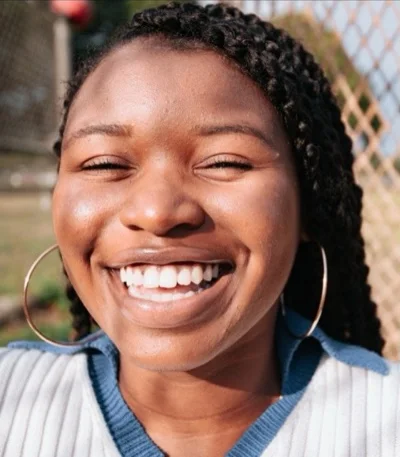
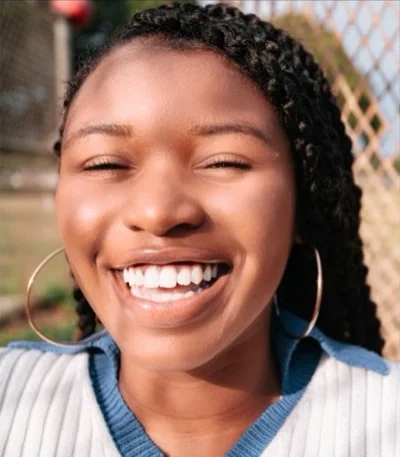 OriginalFacevity · Glam
Effects & parameters
Every effect has its own level
Levels are integers, clamped to their range, and apply on the next frame. Setters are thread-safe, so you can wire them straight to sliders.
| Effect | BeautyParams field | Range | Licence | What it does |
|---|---|---|---|---|
| Skin smoothing | smooth | 0 to 100 | beauty.basic | Edge-aware, multi-scale smoothing inside the skin mask. Fine grain is kept; blemishes are filled from the surrounding skin. Beards and (with segmentation) hair are left out. |
| Brightness | brightness | 0 to 100 | beauty.basic | Mid-tone lift on skin only; highlights, shadows and skin colour are preserved. |
| Skin tone (warmth) | skinTone | -100 to 100 | beauty.basic | Cooler or warmer skin, scaled by luminance. |
| Even tone | evenTone | 0 to 100 | beauty.basic | Reduces redness and blotches by pulling skin colour towards the face average. |
| Rosy | rosy | 0 to 100 | beauty.basic | A soft healthy tint on mid-tones. |
| Clarity | sharpen | 0 to 100 | beauty.basic | Luminance-only sharpening on eyes, brows and hair. |
| Eye brighten | eyeBrighten | 0 to 100 | beauty.basic | Lifts the iris from the iris landmarks; catchlights and pupil are kept, the whites are cleared of redness. |
| Dark circles | underEye | 0 to 100 | beauty.basic | Lifts under-eye shadows towards the surrounding skin. |
| Smile lines | foldSoften | 0 to 100 | beauty.basic | Softens nasolabial folds. |
| Teeth whitening | teethWhitening | 0 to 100 | beauty.basic | Clears yellow, then whitens. Only while teeth can show (blendshapes: open jaw, parted lips or a broad smile). |
| Teeth brighten | teethBrighten | 0 to 100, default 40 | beauty.basic | A subtle extra lift on whitened teeth. |
| Backlight | backlightFix | 0 to 100, default 50 | beauty.basic | Automatic: lifts the face, neck and hair only when the face is clearly darker than its surround. 0 = off. |
| Lip colour | lipColor | 0 to 100 | beauty.basic | With no shade: enriches the lips' own colour. With a shade: lipstick opacity. |
| Lipstick shade | lipShade | nude, rose, red, berry, coral, plum or RGB | beauty.makeup | Tints the lips and keeps their own texture; skips teeth, the open mouth and moustache hair. |
| Lip finish | lipGloss | 0 matte to 100 gloss, default 30 | beauty.makeup | Gloss lifts the highlights, matte flattens them. |
| Slim face | slimFace | 0 to 100 | beauty.reshape | Cheek slimming warp. |
| Jaw (V-line) | jawSlim | 0 to 100 | beauty.reshape | Narrows the lower jaw. |
| Big eyes | bigEyes | 0 to 100 | beauty.reshape | Gentle eye enlarging, centred on the iris. |
| Colour filter | filter + filterLevel | name, 0 to 100 | beauty.basic | origin (none), natural, warm, cool, fresh, vivid, soft, rose, mono. |
| Overall intensity | overall | 0 to 100 | beauty.basic | Scales the beauty levels at once, useful for a single beauty slider. |
Not included: eyeshadow and blush makeup, body shaping and background replacement. Segmentation is used to keep effects on skin and hair, not to change the background.
One slider scale
Since 0.3.0 every 0 to 100 level follows the same curve: 0 = off, 50 = natural, 100 = strong but still realistic. The maximum of each effect was tuned on the test grids until 100 showed no plastic skin and no folding warps. The presets look the same as before.
On the test images the change from 50 to 100 is 1.5 to 6 times the change from 0 to 50 (mean whole-image change, for example brightness 1.3 then 6.3). Apps that stored 0.2 levels convert them once with the table in the migration guide.
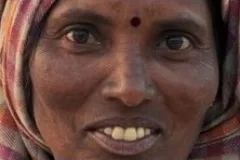
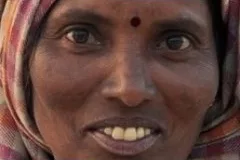
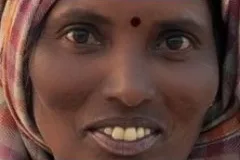
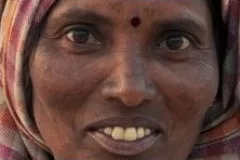
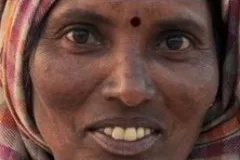
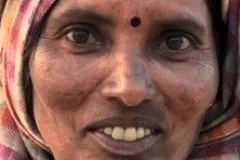
Makeup
Lipstick, teeth and backlight
Added in 0.3. Each effect runs only when its level is above 0. Measured on the Android Emulator (software GL, 360×640 NV21 call path, NATURAL preset): each of them costs less than the run-to-run noise (±1 ms of about 20 ms), all of them together add at most 1.2 ms.
Lipstick
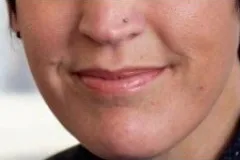
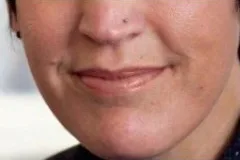
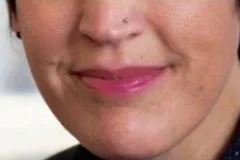
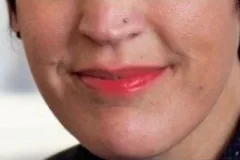
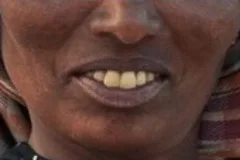
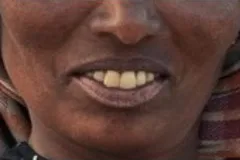
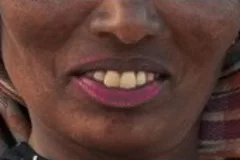
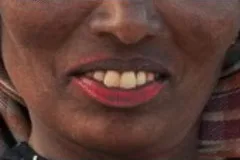
Six shades (nude, rose, red, berry, coral, plum) or any RGB colour, matte to gloss. The lips keep their own lines and texture; teeth, the open mouth and moustache hair are left out.
Red at 100: mean change 17 to 43 on the lips, at most 0.11 away from them (0 to 255 scale). Lip texture kept: 64 to 90%. Licence feature beauty.makeup.
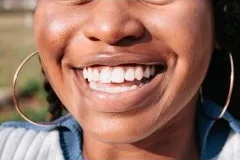
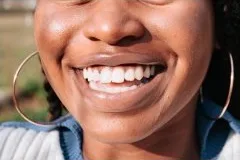
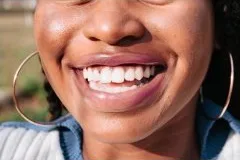
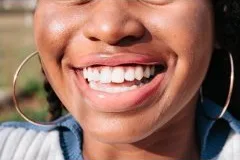
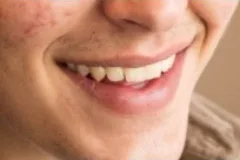
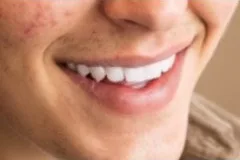
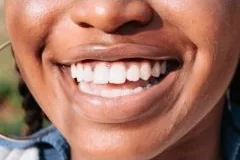
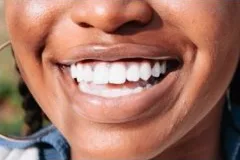
Teeth whitening
Clears the yellow first, then whitens. It acts only while teeth can show: the face's blendshapes report an open jaw, parted lips or a broad smile.
Whitening 100 with brighten 100: change 12 to 20 inside the mouth, at most 0.11 outside it; teeth chroma 21 down to 10 to 12. Closed mouth: 0.1 to 0.2.
Backlight compensation
Automatic by default (level 50). The SDK compares the face with its surround and, only when the face is clearly darker, lifts shadows and mid-tones of the face, neck and hair with a wide, soft edge. Bright windows behind the head stay as they are.
Face luma 61 to 108 (level 50) and 133 (level 100) on the man below; 24 to 62 and 76 on a second test face. Ring around the head at most 2.4, far background at most 0.8. Evenly lit face: 0.0. The backlit photos are composites made from CC0 test faces (person darkened, window behind); not yet verified on a real backlit call.
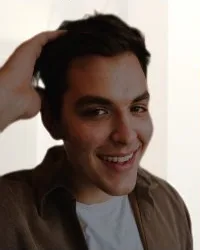
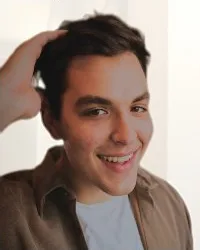
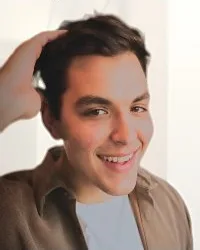
All images: unedited SDK output on CC0 test photos, Android Emulator, October 2026. Credits
Accessories
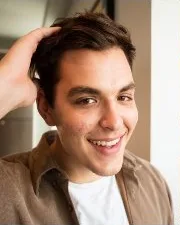
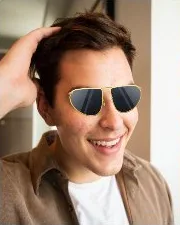
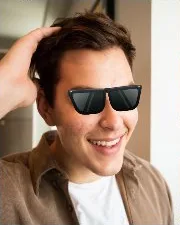
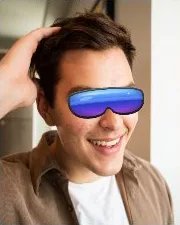
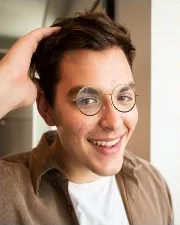
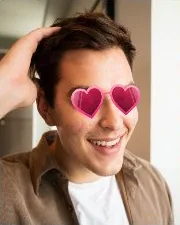
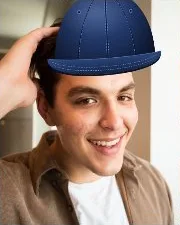
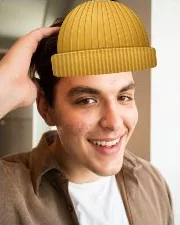
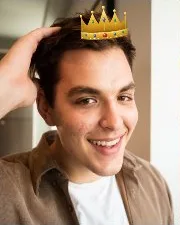
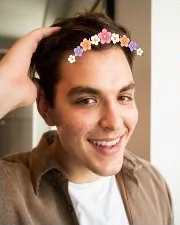
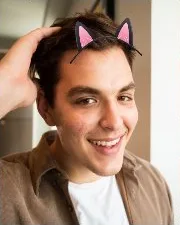
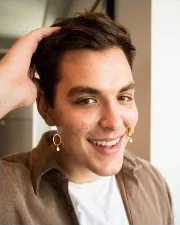
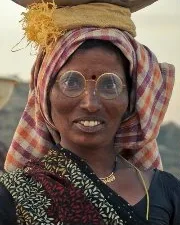
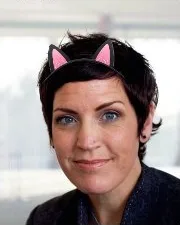
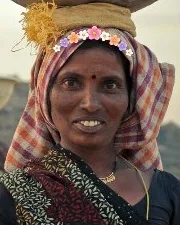
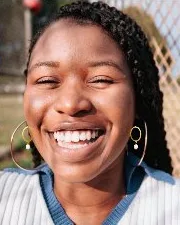
Eleven AR accessories that follow the head
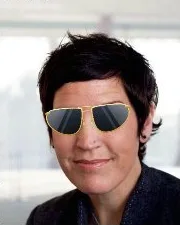
Added in 0.3.1. Glasses, hats, crowns, ears and earrings drawn on top of the beauty effects. Each prop is a flat image placed in the face's 3D frame from the head pose, with mild perspective when the head turns, smoothed over time and hidden when the face is lost. Glasses go under hair that hangs past the temples when segmentation is active.
Your own props, no code changes
A prop is a folder with prop.json (anchor, width, offset, depth, tilt), prop.png and icon.png. The built-in pack is 590 KB; add downloaded packs with addPropsDirectory(dir). All built-in artwork is original and licensed with the SDK.
fv.availableProps()          // id, name, anchor
fv.setProp("flower_headband") // null or clearProp() removes it
fv.propIcon("flower_headband") // 128x128 tile for your picker
fv.addPropsDirectory(File(filesDir, "props"))
Glasses centred within 0.04 face widths of the eye midpoint, earrings within 0.09 to 0.11 of the lobes, on four test faces. Cost: one extra textured mesh (98 triangles) per face, GPU time within noise on the emulator. Beyond about 35° of head turn, caps and glasses look flat; long hair does not cover headbands. Licence feature ar.props.

Presets
Start from a look, then fine-tune
Presets are plain BeautyParams values. Apply one with setParams(), or copy it with toBuilder() and change a few levels.
BeautyParams.NATURAL
Subtle everyday retouch: light smoothing that keeps pores, even tone, no reshaping.
smooth 39, brightness 20, rosy 21, clarity 40, eye brighten 25, dark circles 43, teeth 25, even tone 25, smile lines 25, lips 8
BeautyParams.GLAM
Camera-ready look: stronger smoothing and brightening, lip colour, light slim face and eyes, natural filter.
smooth 57, brightness 40, tone 5, rosy 51, clarity 52, eye brighten 55, dark circles 58, teeth 55, slim 50, eyes 30, even tone 45, smile lines 57, lips 25, jaw 50, filter natural 35
BeautyParams.DEFAULT
Balanced defaults used when you only call setBeautyEnabled(true).
smooth 55, brightness 40, rosy 42, clarity 40, dark circles 43, even tone 30
BeautyParams.NONE
Every effect off, backlight included: frames pass through unchanged.
all levels 0
API
Two ways to integrate, one engine
Use the compact Facevity API for new code. If your app already uses FaceUnity's beauty module, the FV* kit API follows the same call flow and value ranges, so existing glue code ports almost line by line.
Simple API com.knight98.facevity
val fv = Facevity.initialize(context)
fv.setParams(BeautyParams.NATURAL)       // or GLAM, DEFAULT, NONE
fv.setSmoothIntensity(60)                // 0 off, 50 natural, 100 strong
fv.setLipstick(BeautyColors.LIP_ROSE, 60)  // licence feature beauty.makeup
fv.setProp("round_glasses")              // licence feature ar.props

// On the GL thread that owns the camera texture:
val out = fv.processTexture(TextureFrame(oesTex, true, w, h, rotation, mirrored = front, ts, matrix))

// Or on any thread, in place, for NV21 / NV12 / I420:
fv.processBuffer(BufferFrame(nv21, PixelFormat.NV21, w, h, rotation))
FaceUnity-style kit …facevity.kit
FVRenderManager.setup(context, licenseToken, callback)
val kit = FVRenderKit.getInstance()
kit.aiKit.loadAIProcessor()
kit.faceBeauty = FVFaceBeauty().apply {
    smoothIntensity = 3.0       // 0..6 like FaceUnity's blurIntensity; 3.0 = natural
    brightenIntensity = 1.0     // 0..2; 1.0 = natural
}
val output = kit.renderWithInput(input)  // FVRenderInputData -> FVRenderOutputData
output.texture?.texIdSpecifications
Technical details
| Current version | 0.3.2 (Android AAR) |
|---|---|
| Android | minSdk 24 (Android 7.0); OpenGL ES 3.0 recommended, works in ES 2 contexts with highp fragment precision |
| ABIs | arm64-v8a, armeabi-v7a, x86_64 (16 KB page aligned on 64-bit) |
| Input | OES or 2D texture; NV21, NV12 or I420 buffers (processed in place) |
| Output | 2D texture (texture path) or the same buffer |
| Faces | 1 by default, up to 4 |
| Face tracking | MediaPipe Face Landmarker (478 points with iris, head pose and blendshapes, Apache-2.0), optical-flow tracked between results |
| Segmentation | MediaPipe multi-class selfie model (skin, hair, clothes, background) on a GPU delegate where the phone supports it; otherwise the landmark and colour mask |
| Size | AAR ≈ 11.8 MB (includes the face model, the 8.3 MB segmentation model and the props pack), plus MediaPipe Tasks Vision ≈ 8 to 12 MB per ABI. Removing the segmentation model saves 8.3 MB; skin masks then use landmarks and colour. |
| Languages | Kotlin and Java (builders, static and overloaded methods) |
| Permissions | None for the SDK; INTERNET only for online licence activation |
| iOS | In development, preview |
Quality
Measured, not just eyeballed
- Smoothing that keeps detail. At full smoothing, skin texture energy drops by 20 to 55% while eye detail stays at 97 to 102% of the original.
- Natural by default. The NATURAL preset keeps about 85% of skin texture and adds only a few levels of brightness.
- Background untouched. Pixels well outside the face were unchanged in every test image where this could be measured (mean difference 0.000).
- Deep skin keeps its colour. With NATURAL, skin chroma never decreased in our tests, so darker skin is not greyed or bleached.
From the SDK's quality benchmark on six CC0 test photos (Android Emulator, October 2026).
Try it in your app
Trial licences include the demo app and the AAR. We will set one up for your package names.